


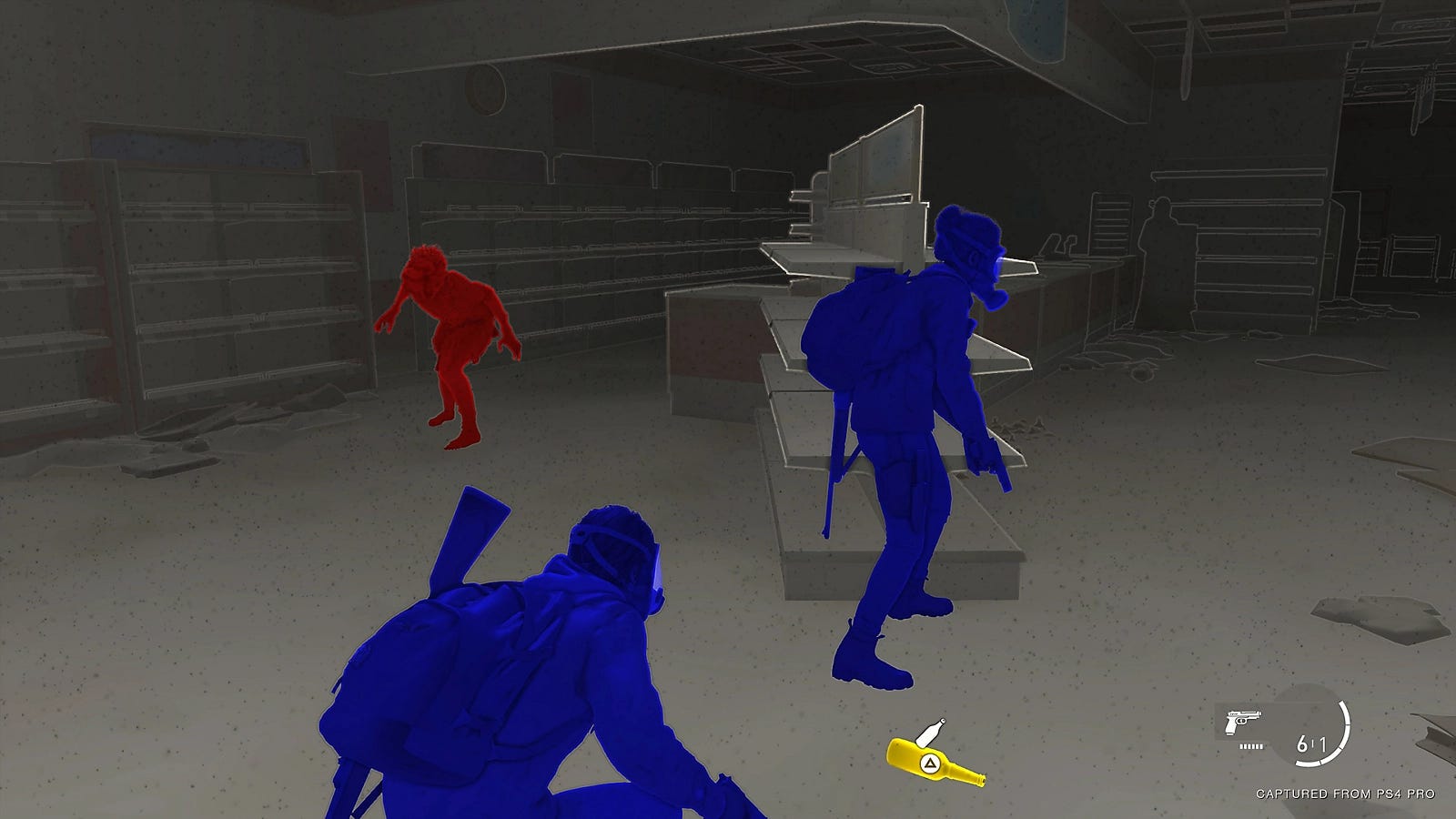
Accessibility in gaming isn’t just about making games playable—it’s about making them enjoyable for everyone.
This article kicks off a three-part series where we’ll explore key concepts that make games more inclusive.
In this first installment, we’re focusing on customizable experiences—a powerful way to give players control over how they interact with a game. We’ll start with software-side accessibility, using The Last of Us Part II as a case study.
Why Build Customizable Experiences?
Every player is unique. Some may have different physical abilities, sensory limitations, or cognitive needs. Others may just want a more comfortable way to play.
Let’s break this down into key areas where customization can make a difference.
Software Customization: The Last of Us Part II
1. Visual Settings
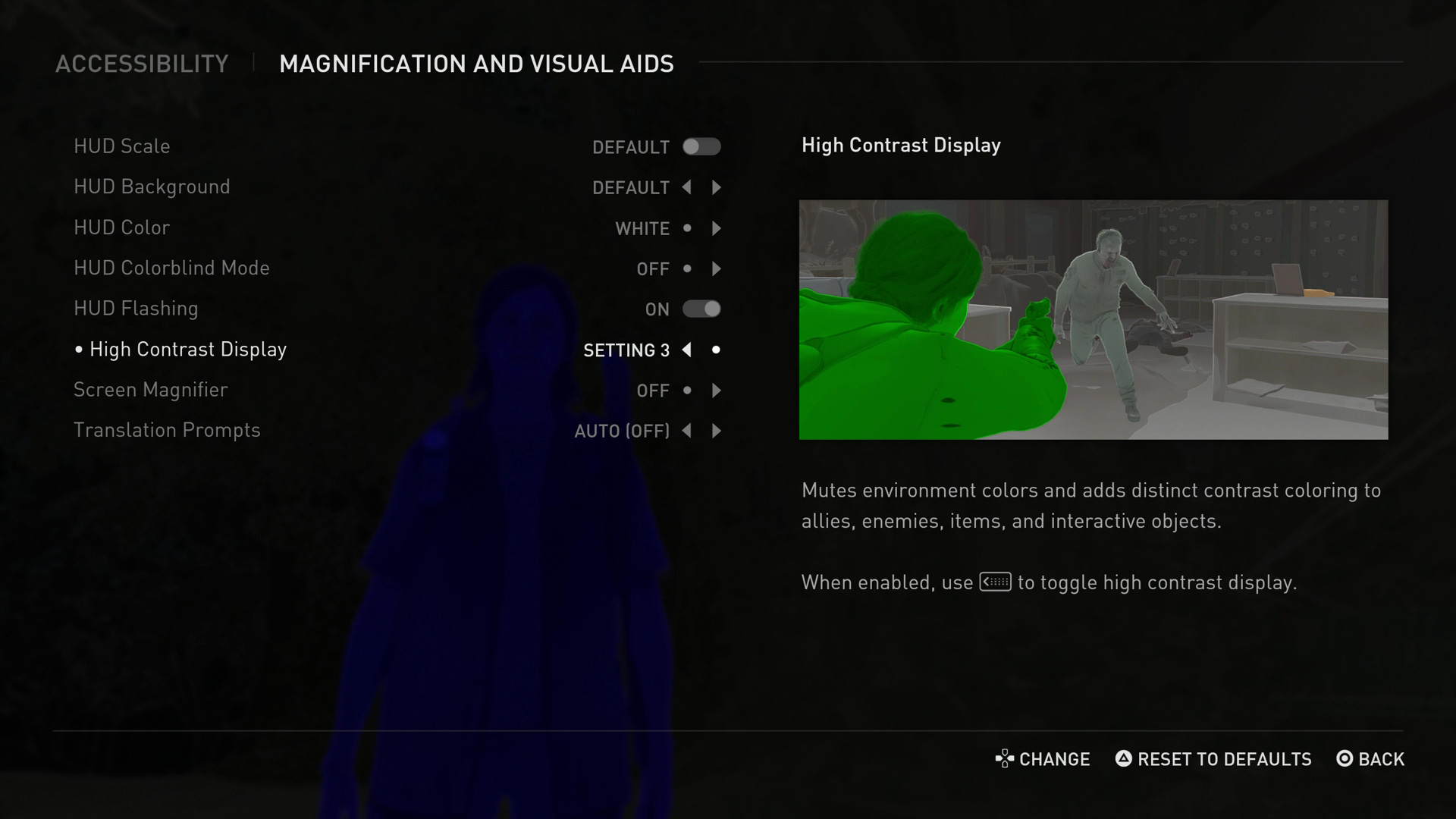
Offering customizable display settings can make a game more accessible to those with visual impairments or preferences.
🎯Example: The Last of Us Part II features a high-contrast mode, making characters and objects easier to distinguish. Players can also adjust text size, HUD elements, and colorblind-friendly options, ensuring they can process visual information more easily.
⭐Design Tip: Include options for text scaling, adjustable contrast, and HUD customization. Consider implementing colorblind-friendly palettes.
2. Audio Settings
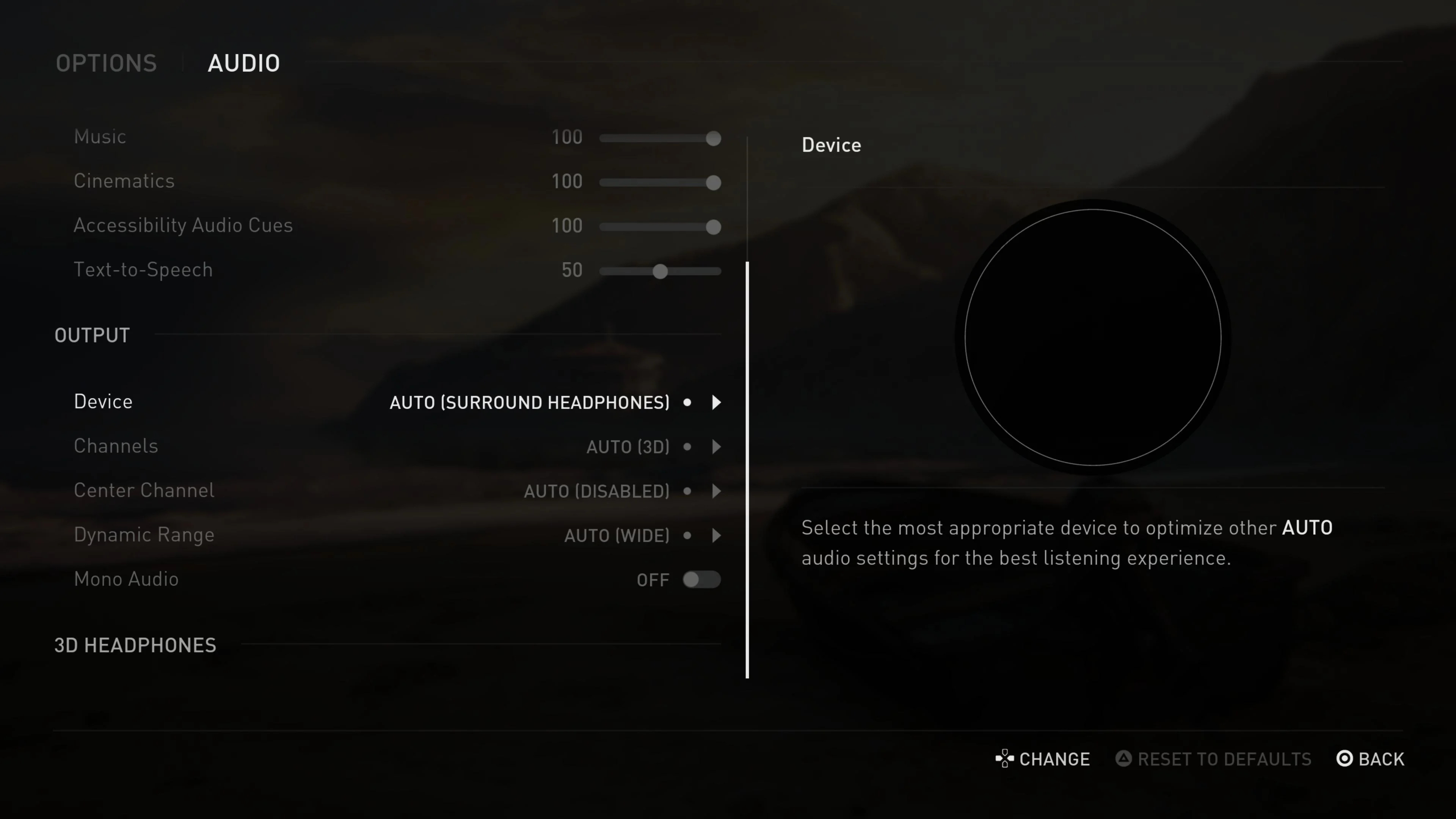
Providing detailed sound settings ensures a game can be enjoyed by players with varying hearing abilities. Enabling audio cues and text-to-speech features can also take the experience to a whole new level.
🎯Example: The Last of Us Part II allows players to adjust individual volume levels for dialogue, sound effects, and music. It also provides visual indicators for important sounds, ensuring critical gameplay cues aren’t missed.
⭐Design Tip: Offer separate volume controls, subtitles with speaker identification, and visual cues for important sounds.
3. Game Difficulty Settings
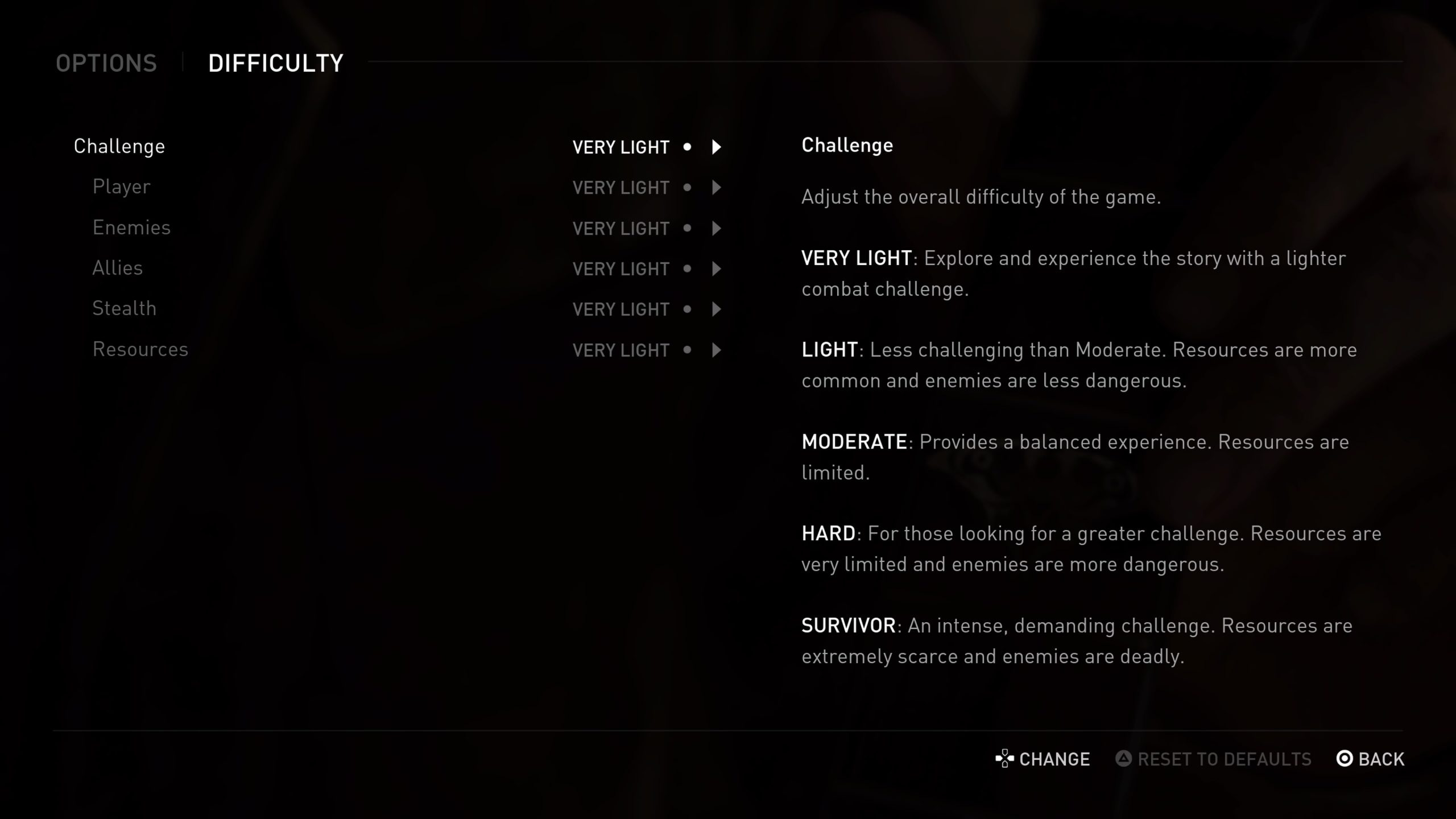
Allowing difficulty adjustments ensures that more players can engage with your game in a way that’s enjoyable for them. This can be a tricky topic in games like Dark Souls, but there are many ways to approach difficulty settings while preserving design intent. Celeste and The Last of Us offer great examples of this balance.
🎯Example: The Last of Us Part II offers granular difficulty customization. Instead of a simple easy/normal/hard selection, players can adjust enemy AI, resource availability, and stealth effectiveness to fine-tune their experience.
⭐Design Tip: Go beyond generic difficulty modes by offering options like adjustable enemy behavior and puzzle skips.
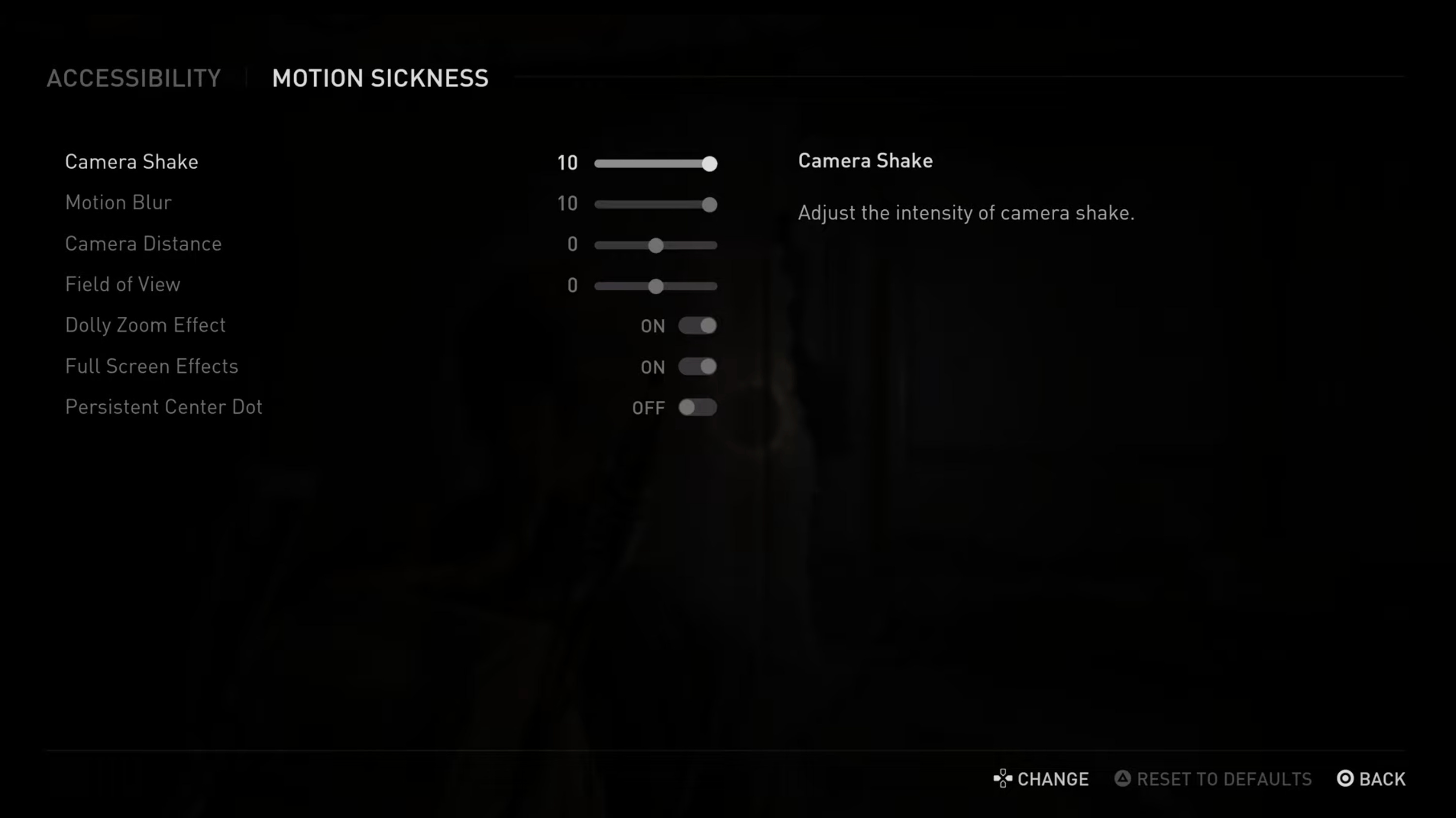
4. Motion Sickness and Visual Distraction Settings
For some players, excessive visual information or frequent notifications can be overwhelming. Customization help streamline the experience.
🎯Example: The Last of Us Part II includes options to reduce camera shake, motion blur, and screen flashes, helping players who are sensitive to visual distractions.
⭐Design Tip: Provide adjustable camera settings and toggles for pop-up notifications to reduce unnecessary clutter.
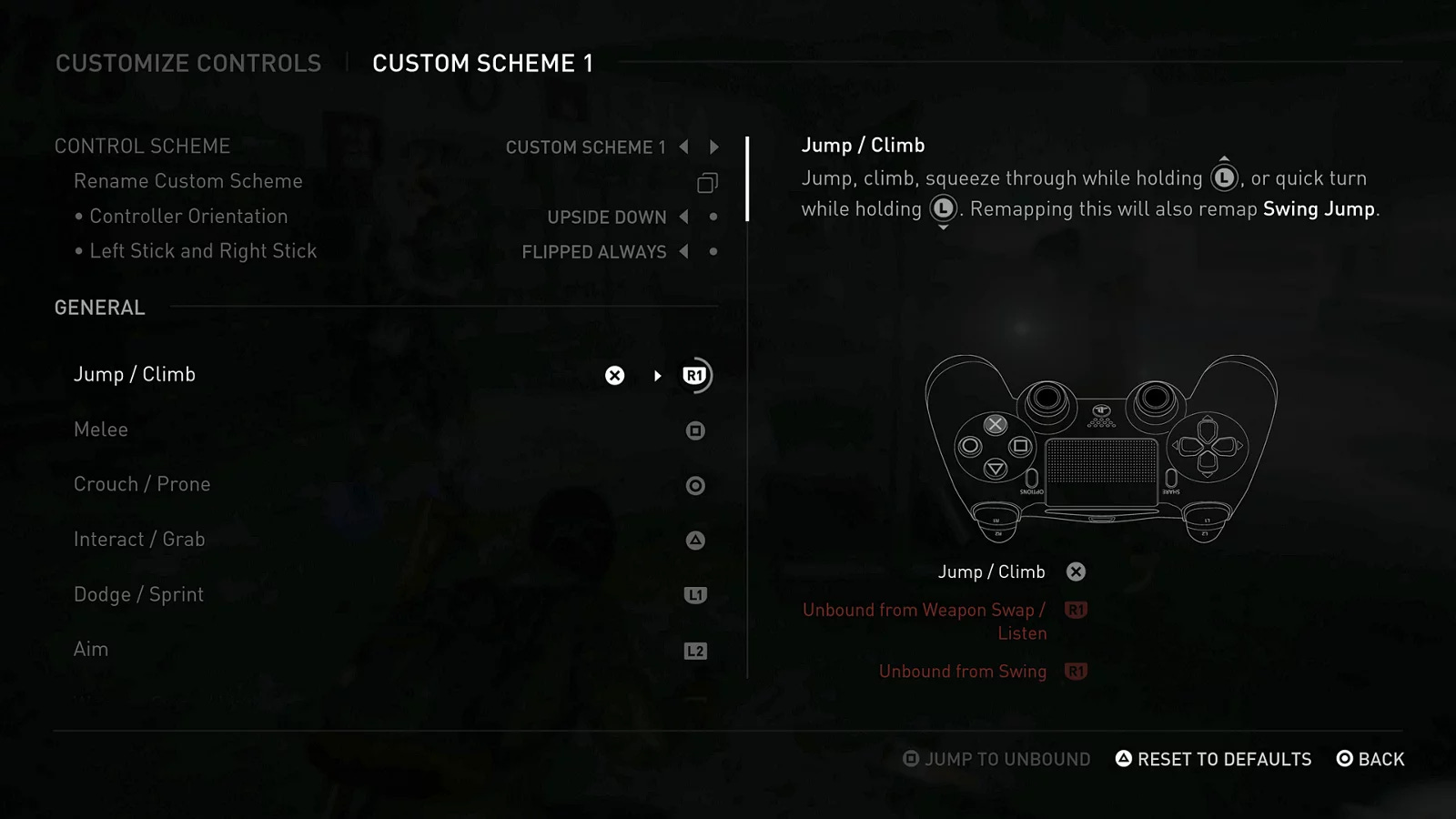
5. Input Controls and Mapping
Customizable controls can make a game accessible to players with different motor abilities or preferred playstyles.
🎯Example: The Last of Us Part II includes fully remappable controls and adjustable stick sensitivity.
⭐Design Tip: In addition to remapping, offer toggle/hold alternatives and consider compatibility with adaptive controllers.

6. Other Mechanics and Game Elements
Certain mechanics can be barriers for some players. Assistive features help bridge those gaps.
🎯Example: The Last of Us Part II includes features like Enhanced Listening Mode and Lock-on Targeting to assist players who may struggle with fine motor controls
⭐Design Tip: Consider adding assistive mechanics, navigation related ones and auto-aim are a good start.
Final Thoughts
When you give players the tools to adjust their experience, you make your game more engaging, inclusive, and enjoyable for a wider audience. In the next article, we’ll shift our focus to hardware accessibility, exploring assistive technologies and adaptive gaming equipment. Stay tuned! 😉
Wanna Learn More?
Here are some fantastic resources to dive deeper into accessibility in gaming:
Inclusive Design for a Digital World by Regine Gilbert (Book)
Steve Saylor - TLOF part 2 Accessibility Impressions (YouTube)